

Cell Tower Location Data
GeoTel’s cell tower location data delivers a clear, map-first view of towers, cell sites, antennas, and network density—empowering teams to visualize coverage, uncover opportunities, and plan with confidence. Use the dataset to check the closest cellular asset to a site, review nearby cell towers in a market, and evaluate cellular path considerations such as line of sight and frequency bands. The product supports network planners, cellular providers, enterprises, consultants, and public agencies that want a consistent way to move from questions to decisions.
Why Teams Choose Cell Tower Location Data
A single source of cellular assets reduces guesswork and speeds planning. With a single place to review tower locations by market, teams can determine where service is feasible, see where weak cellular signal stretches, and understand how towers work together to serve users in buildings and across corridors. The dataset keeps engineering and business groups aligned on what exists today, where small cells can improve coverage, and how to sequence projects that deliver stronger signals and faster speeds for customers and field teams.
Benefits

Reduce time spent hunting for the signal source by reviewing the tower reach and ownership for a target location
Compare operators and coverage patterns across an area, so planning reflects real network conditions
Support conversations about frequency bands, including notes where a record includes C band or LTE context, without leaving the same working view
What Is Included
Tower and Site Context
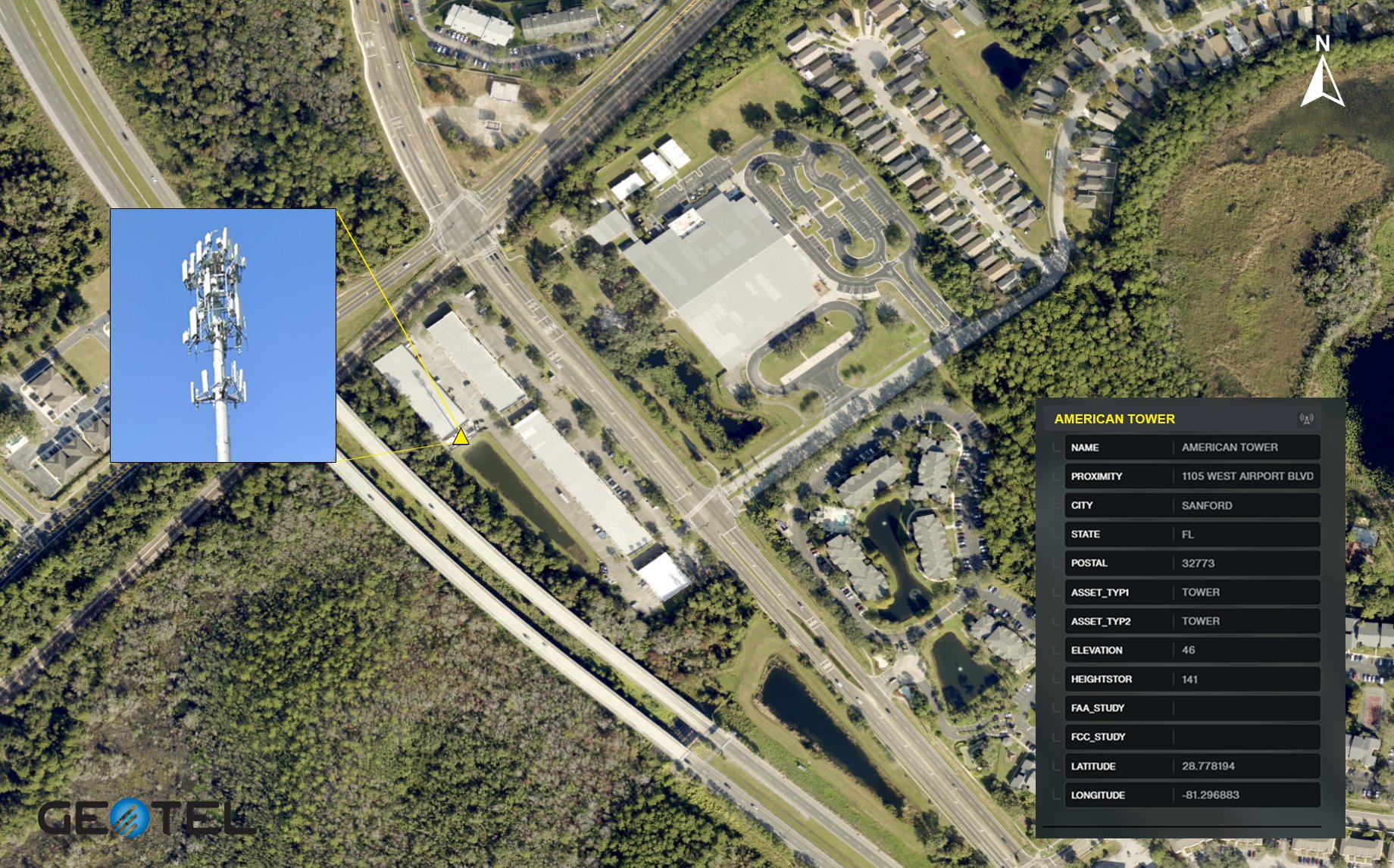
The dataset includes point features for cell towers and cell sites with location data suitable for mapping a city, a region, or markets across the country.
Typical attributes identify:
- Antennas
- Ownership
- Height or elevation hints
- General direction when reported
These details help analysts evaluate cellular signal reach, potential interference, and how a tower’s sectors align with surrounding streets, buildings, and terrain.
Coverage and Proximity Tools
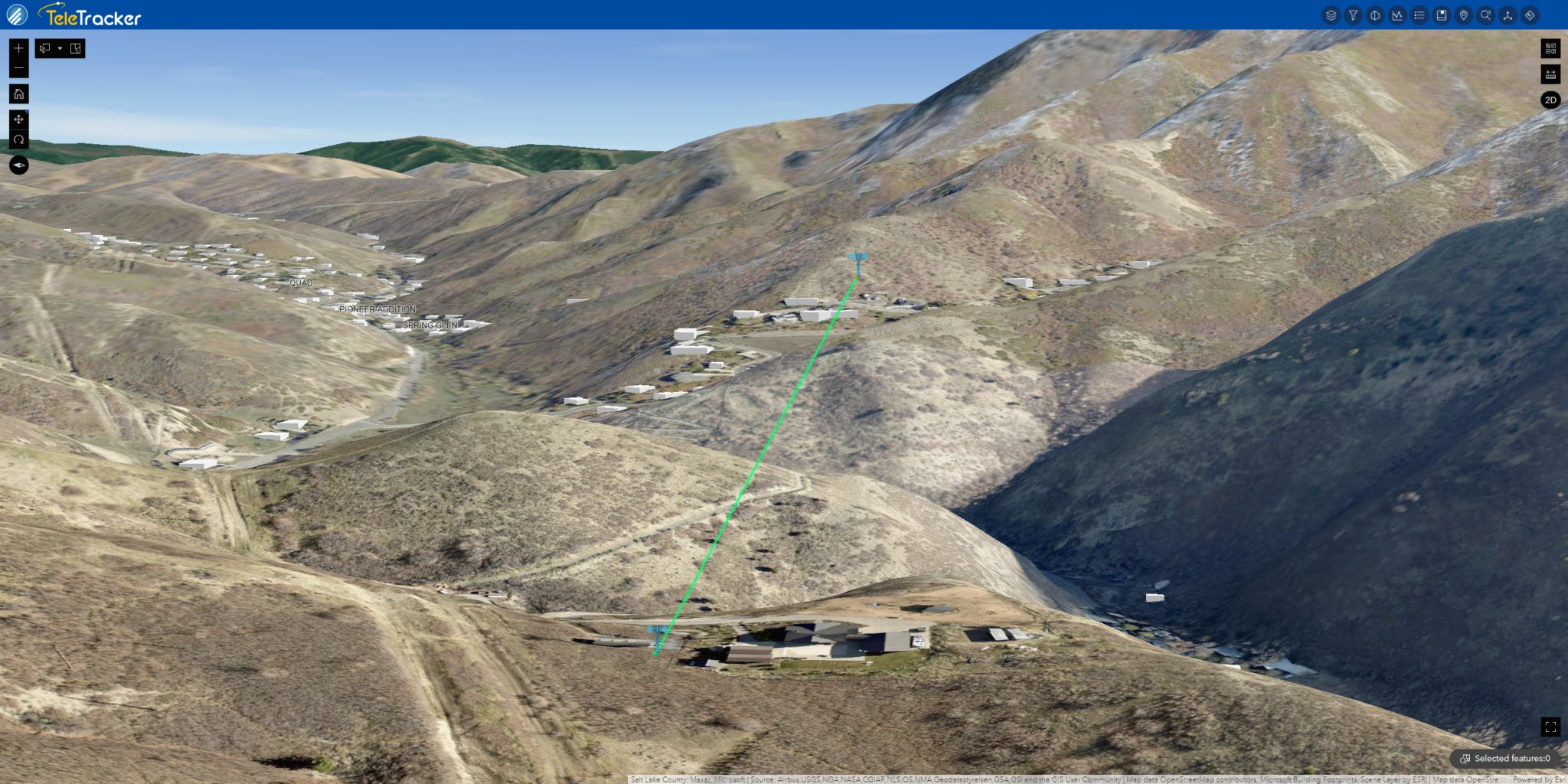
Teams can search for an address, simply enter coordinates, or click a corridor to find nearby cell towers and shortlist the nearest options. Proximity and orientation checks assist with estimated cellular path qualities, including:
- Distance
- Potential line of sight
With these steps, planners have a practical way to screen locations with poor cell signal coverage to decide whether a small cell, a route change, or collaboration with a provider is the best next move.
Access and Delivery
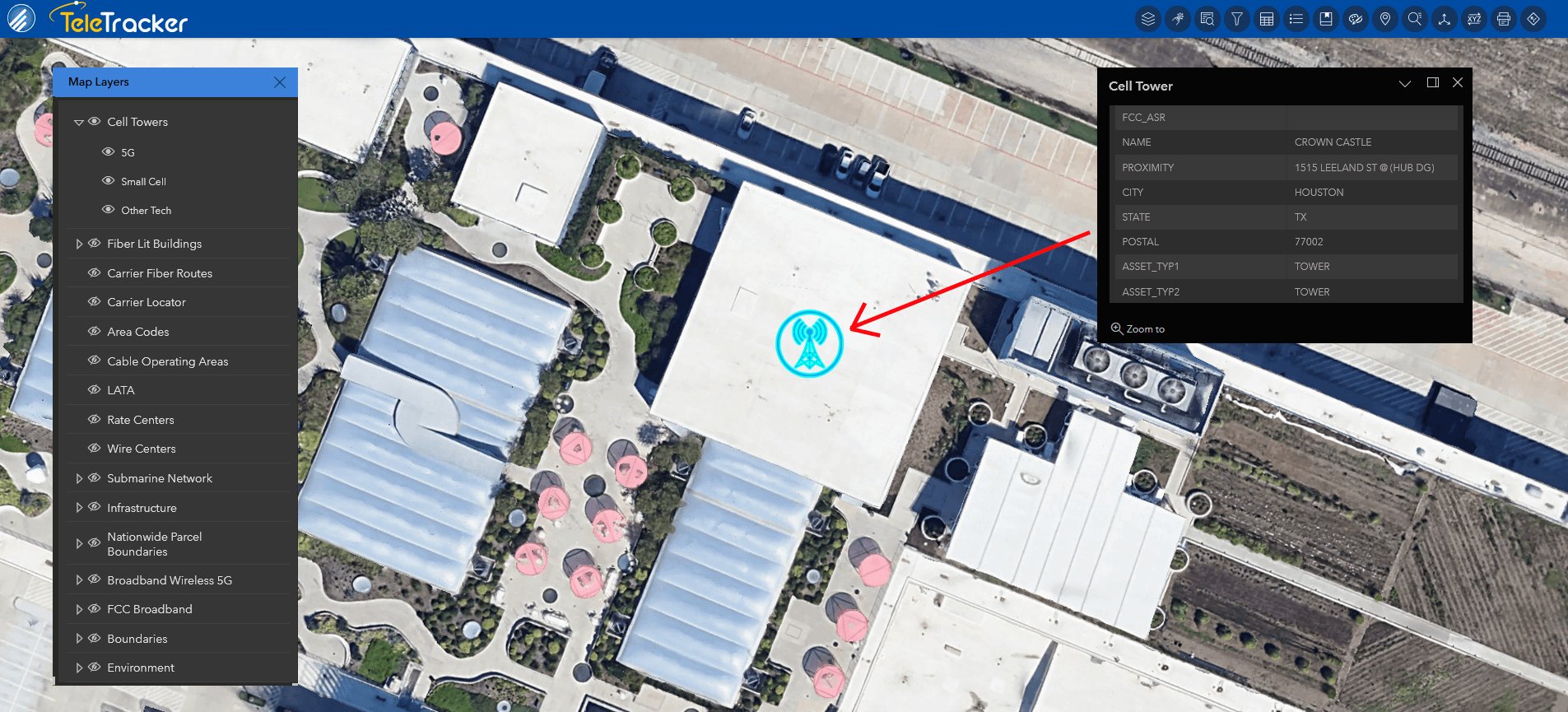
Choose delivery in standard GIS formats for technical workflows, or open the same data in TeleTracker for a browser experience. In both environments, users can:
- Pan a market
- Zoom to a site
- View attributes
- Export a clean image or file
That flexibility helps engineering, real estate, and leadership review the same information on the same page with minimal back-and-forth.
Who Uses Cell Tower Location Data
Network Operators and Cellular Providers
Operators use the layer to plan deployment, analyze antennas, and compare options across markets in America. With a consistent view of towers and small cells, teams can align upgrades with demand and connect dedicated fiber to tower placement. Comparative checks across carriers to help clarify where coverage overlaps and where additional work is required.
Enterprises and Site Selection Entities
Enterprises evaluate cell reception near facilities and campuses, then engage providers to improve connectivity for cellular devices that send texts, make calls, and support critical applications. Address-based checks help determine whether a site is already well served or sits at the edge of tower reach and would benefit from an alternative approach within the building.
Public Sector and Economic Development
Public agencies review areas with weak cellular signal and organize projects to improve access for residents and businesses. A shared map helps explain where coverage is limited, where small cells can assist, and how changes support safety, operations, and communication across a community.
Consulting and Business Intelligence
Consultants and BI teams add cell tower location data to dashboards to translate technical inputs into location decisions. The same view supports executive conversations about coverage, provider comparisons, and timelines that affect users and customers across a market.
Planning and Analysis Workflows
Market Scan
Start with a scan to see where towers and small cells cluster and where gaps appear. Compare operators by neighborhood or region, then compile a short list of corridors that merit deeper review. This step anchors discussions in data rather than anecdote and keeps attention on places where a change will matter.
Address Review
Enter a site address, confirm the nearest cell tower candidates, and review distances. Quick checks, such as toggling airplane mode to refresh a handset, verifying bands on a signal meter, or noting frequency bands used in the area, can complement the map as you narrow options. These routines are a practical way to validate assumptions before field work begins.
Project Prioritization
Document why a location is selected by pairing the map with brief notes on cellular path estimates, tower candidates, and any building considerations. Organize candidates by provider, distance, and sector fit so teams can move from planning to scheduling. Saved views and concise files make it easier to share the plan, answer signal questions, and keep projects on track.
Integration and Compatibility
GIS Integration
Work with native formats to combine towers with fiber routes, transport paths, and related telecom layers for end-to-end context. Analysts can add internal models that account for installed equipment, in-building systems, and near-term construction plans, so routing and siting decisions reflect all relevant signals.
TeleTracker Use
TeleTracker provides browser access for quick collaboration. Users search for locations, click tower features to display their attributes, and export views for leadership to review. The same dataset that powers GIS analysis is used here, keeping everyone connected to a single source of information.
Related GeoTel Datasets
Using these datasets together with Telecom Infrastructure Data supplies an end-to-end picture of infrastructure and services, from route selection to address-level decisions.
- Carrier Fiber Routes. Backhaul and transport perspective that shows how traffic leaves a tower and reaches aggregation points. Combining this view with towers helps team size efforts and coordinate provider outreach.
- Data Centers. Facilities context that explains where traffic aggregates, how workloads move, and where interconnection choices influence performance and cost.
- Broadband and Wireless Layers A broader network picture that supports planning across cellular, fiber, and access routes as projects evolve from site checks to construction.
Outcomes You Can Expect

Strategy and Operations
Teams shorten the time from question to decision by reviewing tower locations, sectors, and nearby alternatives in one place. This improves planning for stronger signals, faster speeds, and better service outcomes for customers who rely on their cell phones for voice, messaging, and data.
Stakeholder Communication
Clear visuals and concise notes make it easier to explain options and next steps. You can send a map image to a new partner, share a small list of tower candidates, or include a file with orientation and distance notes that support a field visit.
Getting Started
Access Options
• Request a Demo. See cell tower location data live in GIS or in TeleTracker and confirm coverage for target areas.
• Confirm Specifications. Align on fields, formats, and delivery preferences, then identify priority markets nationwide.
• Begin Analysis. Load the data, export views for stakeholders, and track progress as projects move from desktop review to field work.
Cell Tower Location Data for Confident Decisions
Cell tower location data helps teams map towers, understand how sectors and antennas shape connectivity, and plan improvements grounded in real conditions. With delivery in GIS, TeleTracker, and related datasets that complete the network view, you can locate the nearest cell tower, evaluate alternatives in the same area, and organize work to achieve a stronger signal and better coverage for users and customers.
Frequently Asked Questions
How Do Cell Towers Work in Practice?
Cell towers work by serving defined areas with specific antennas and frequency bands. The dataset shows tower locations and attributes that help estimate cell tower reach and range relative to a site. Use distance and coverage to decide which candidates are most likely to support a reliable connection.
What Is the Best Way to Find Nearby Towers and Evaluate Connection Quality?
Search by address or coordinates to list the nearest towers, then compare distance and coverage. Walk the site and record measurements to obtain field location insights. Combine those readings with the map to confirm which tower offers the most stable connection.
Why Is Predicting Indoor Performance a Bit Difficult?
Walls, glazing, elevation, and nearby buildings can attenuate signals, so purely theoretical estimates can be a bit difficult to trust. Use the map to shortlist candidates, then verify signal strength with a calibrated meter. Document where each reading was obtained and compare results to sector angles for a clearer picture.
Related Datasets
Layers that pair with Cell Tower Locations in GIS or in TeleTracker.

Broadband Wireless
The Broadband Wireless dataset showcases high-speed connectivity, delivering swift and reliable internet access without the constraints of traditional wired networks.

Carrier Fiber Routes
GeoTel’s Carrier Fiber Routes dataset illustrates the fiber network with enhanced geospatial accuracy and the most up-to-date information.

Data Centers
GeoTel’s dataset consists of locations that contain physical facilities that public and private organizations use to store their servers, cloud bandwidth, and applications.
Interested in a Free Live Demo?
Experience firsthand how our comprehensive telecom datasets, advanced analytics, and user-friendly platforms can empower your business.