

Fiber Lit Buildings
GeoTel’s Fiber Lit Building dataset provides teams with an address-level view of where fiber service is already available or readily accessible. The Fiber Lit Building database helps planners, sellers, and engineers confirm on-net and near-net status for commercial buildings, then connect those findings to route options, timelines, and stakeholder decisions in a single, map-first workflow.
Why Teams Choose Fiber Lit Buildings
When a project depends on fast implementation, knowing exactly which commercial sites are lit with fiber reduces guesswork and accelerates results. A consistent view of buildings, routes, and nearby facilities supports outreach, proposal requests, and network planning. Lit building status is most useful read alongside GeoTel’s fiber maps, which show the routes those buildings connect to.
Benefits

Align outreach with verified building status so requests move from interest to service efficiently
Compare locations within a target area and sequence near-term and long-term opportunities
Communicate options with concise visuals and lists that translate network detail into business terms
What the Fiber Lit Building Database Includes
On-Net and Near-Net Context
- A normalized view of on-net buildings and near-net indicators for offices and other commercial buildings
- Attributes that support planning for access, service readiness, and follow-up work at fiber lit commercial sites and fiber lit commercial buildings
- Assists in reporting distance to route, target corridor, or project phase
Provider and Market Attributes
- Provider fields that help teams evaluate market players and private networks alongside cable providers
- Space for internal tags if your organization tracks specific fiber providers in market analysis
Access and Delivery
- GIS delivery for technical workflows and dashboards
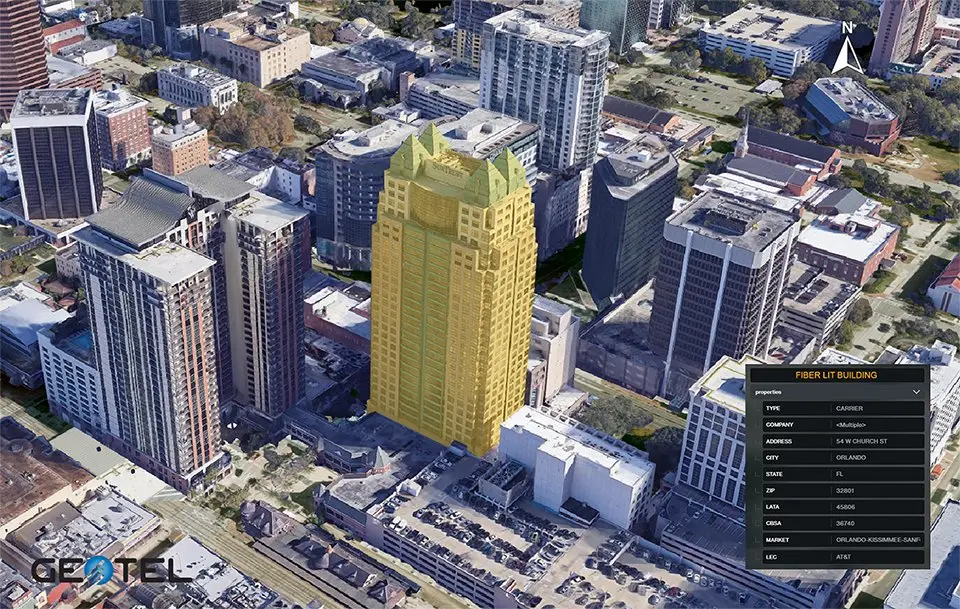
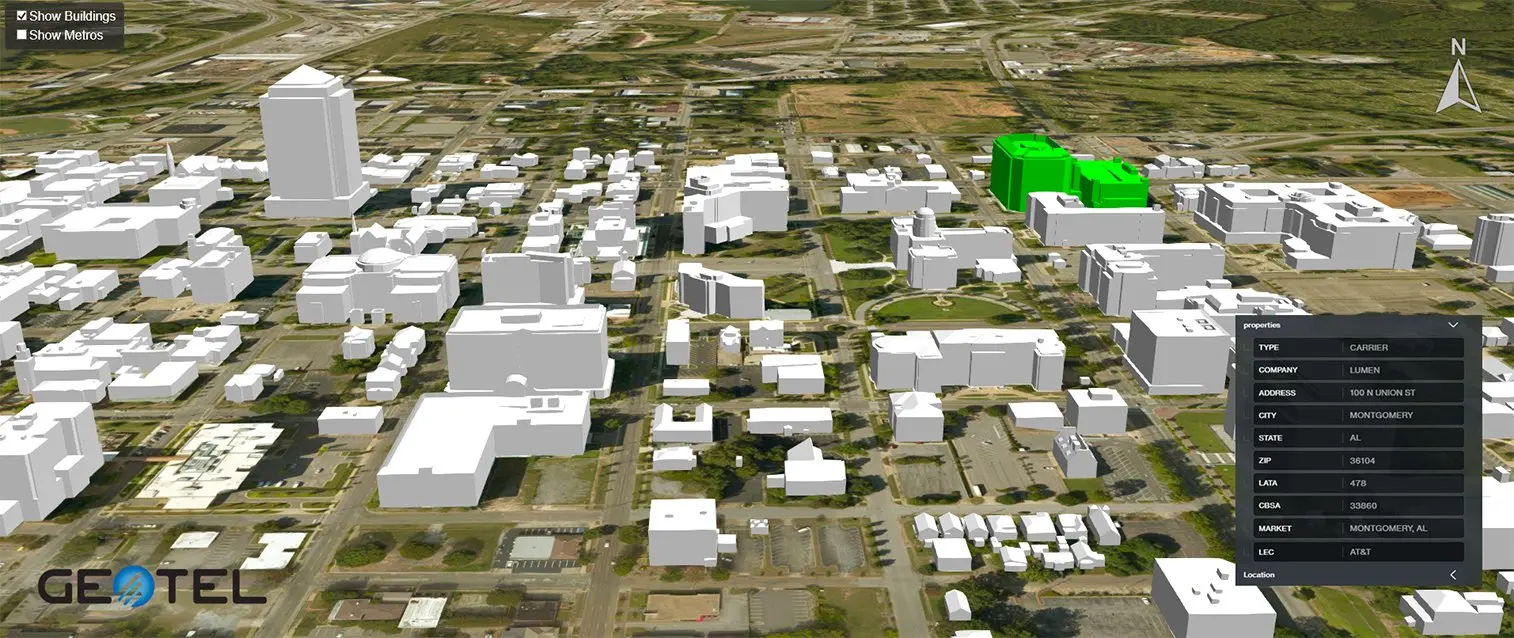
- TeleTracker access for a browser experience where users can search by address, click buildings, and export map views
- Simple export options that produce a clean file or image for internal briefings
Who Uses Fiber Lit Buildings
Network Operators and Fiber Providers
Identify on-net and near-net opportunities, build short lists for proposal requests, and connect qualified buildings to existing routes. Use the dataset to plan new fiber where the commercial case supports it and to align sales and construction calendars.
Enterprises and Site Selection Entities
Evaluate office building candidates and multi-site portfolios with verified fiber proximity. Compare options based on provider presence and route context to ensure the final selection supports application needs and the budget.
Real Estate and Market Analysis
Position commercial buildings with documented fiber context for tenants and customers. Pair lit building status with nearby data centers to highlight interconnection advantages for prospects.
Government and Economic Development
Understand how fiber availability supports business retention and recruitment. The same view helps teams prioritize projects that improve access and foster adoption in key districts.
Planning and Analysis Workflows
Market Scan
-
Review where fiber networks intersect with commercial buildings and where gaps remain
-
Compare regions and provider presence to focus on the right sub-markets
-
Build a working list that flows directly into outreach and design
Address and Building Review
-
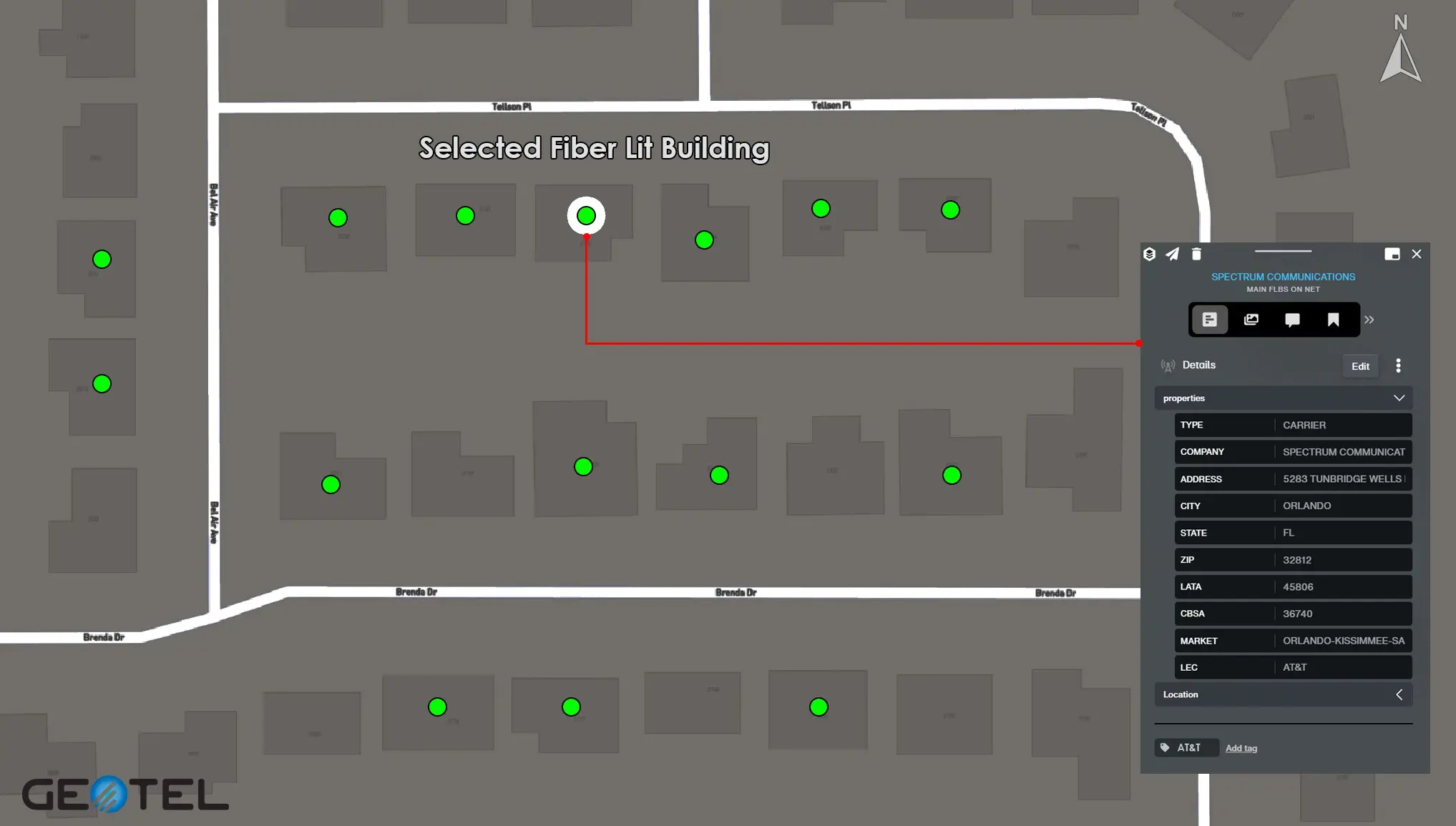
Search for an address, confirm on-net or near-net status, and check the surrounding routes
-
Add notes for preferred providers or timing constraints, then export a view for team review
-
Create a contact list that supports follow-ups and stakeholder meetings
Project Prioritization
-
Align building opportunities with construction effort, budget, and schedule
-
Sequence work where access and demand meet, then track progress with saved views and lists that your teams can share
Integration and Compatibility
GIS Integration
-
Load native formats into existing models and dashboards for analysis and reporting
-
Combine the Fiber Lit Building database with Carrier Fiber Routes so buildings connect to the backbone and access paths
-
Add layers such as data centers or security services context to complete project views
TeleTracker Use
-
Navigate markets in a browser, search by address, and click buildings to reveal details
-
Save and export views for leadership, sales, and field teams so everyone works from the same page
-
Keep conversations grounded in current information that reduces back-and-forth
Related GeoTel Datasets
Using these datasets together with Telecom Infrastructure Data supplies an end-to-end picture of infrastructure and services, from route selection to address-level decisions.
- Carrier Fiber Routes. A backbone and access perspective that shows how networks connect across markets.
- Data Centers Aggregation points that influence how traffic flows and where workloads can be placed for performance and interconnection.
- Telecom Infrastructure Layers Additional context that rounds out planning across routes and sites so teams can move from map to action.
Outcomes You Can Expect
Strategy and Operations
-
Reduce time from question to decision by confirming building status and route options in one place
-
Focus resources on opportunities that can move from request to service quickly
-
Maintain clear records that document why a set of buildings was prioritized

Stakeholder Communication
-
Deliver exportable views and concise lists that show where fiber lit buildings and fiber lit sites meet demand
-
Provide clarity for customers, partners, and internal teams at each stage of the process
Getting Started
Access Options
Confirm Specifications. Align on fields, formats, and delivery preferences so analysts can begin quickly.
Begin Analysis. Load the dataset, export prioritized lists, and share results so work can proceed without delays.
Fiber Lit Buildings for Confident Decisions
Use fiber-lit buildings and the fiber-lit building database to evaluate on-net and near-net opportunities, align providers with demand, and keep projects moving. With delivery in GIS and TeleTracker and with related datasets that connect buildings to routes and facilities, your teams can plan, communicate, and deliver with confidence.
Frequently Asked Questions
What Information Does the Dataset Include?
The dataset typically includes building location, address, building type, service provider(s), lit status, and related network attributes. Additional fields may be available depending on your licensing package.
What Is the Best Way to Manage Name Changes and Mergers?
Create a provider alias list and maintain crosswalks. Examples include formerly Cincinnati Bell and other legacy or rebranded entities. The alias table keeps historical tags aligned with current names so searches, exports, and leadership briefings remain clear even as market players evolve. GeoTel also tracks and updates changes and mergers daily.
Can We Tag Specific Providers?
You can maintain provider tags that match your reporting needs. The dataset supports custom provider fields while maintaining consistency in building status and location data.
Can the Dataset Be Customized?
Absolutely. GeoTel offers custom extracts, geographic partitions, carrier-specific views, and tailored data fields depending on your project or workflow needs.
Interested in a Free Live Demo?
Experience firsthand how our comprehensive telecom datasets, advanced analytics, and user-friendly platforms can empower your business.